
Browse the operator manual
Start here
Get started with Operations CenterTake a trip from Draft to departureUse Dashboard and RadarVideo guidesOrganization setup
Set up your organizationSet company identity and portal brandingSet editor, schedule, and writing defaultsConfigure traveler forms, legal content, and the public catalogConfigure payment providers and payment documentsConfigure automatic emailSet monitoring and notification thresholdsCreate and build
Create a tripImport a trip with AIComplete trip details and residencesBuild the itineraryAdd flights and transfersAssign field staff and partnersPublish and sell
Configure and publish the traveler portalDesign the traveler pageGive and remove portal accessConfigure pricing and collect paymentsReview and approve join requestsManage travelers and roomingWork with sales and FinancePrepare and operate
Prepare a trip for departureManage files and messagesMonitor live operationsSaved content and contacts
Reuse saved trip contentMaintain field staff, partners, and suppliersReference
Trip status referenceManage the tour listFix common problemsOrganization setup
Set monitoring and notification thresholds
Decide when staff location, weather, flight, and transfer conditions trigger a notification.
Before you begin
- Organization administrator access
You will learn to
- Set the notification phone
- Set three severity levels for each condition
Reviewed September 2026
Each condition has three levels: Warning, Alert, and Critical. Set them so that Critical always means “act now”.
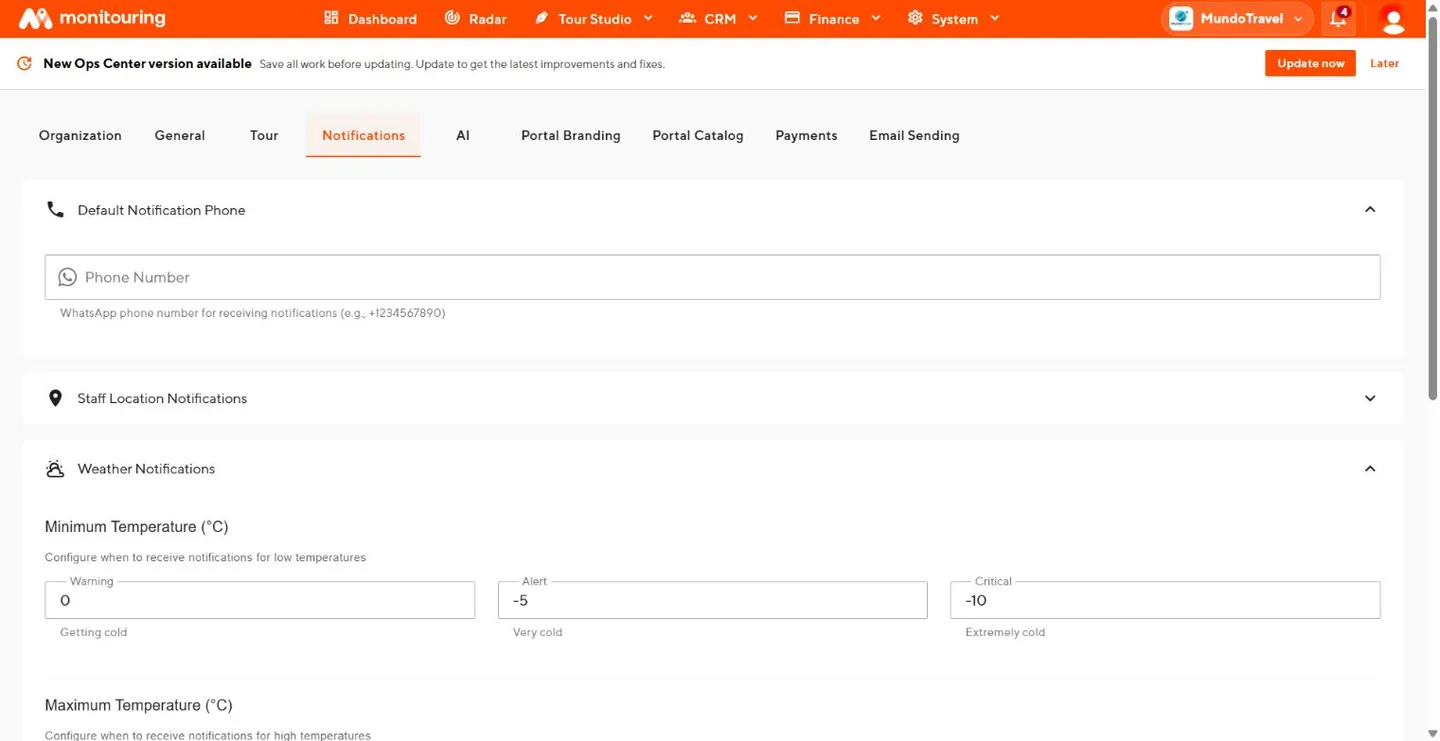
Default Notification Phone
Enter the WhatsApp number that receives organization notifications, including the country code. Use a number your operations team monitors.
Staff Location Notifications
Enter the number of minutes before a segment starts at which a staff member who is not yet at the location triggers a Warning, Alert, and Critical notification.
Turn on Automatically enable staff location monitoring for flight disembark segments when assigning staff to monitor arrival pickups by default.
Weather Notifications
| Measurement | Unit |
|---|---|
| Minimum Temperature | °C |
| Maximum Temperature | °C |
| Wind Speed | km/h |
| Precipitation | mm/h |
For minimum temperature, Critical is the lowest value. For the others, Critical is the highest.
Flight Notifications
Enter Departure Delay and Arrival Delay in minutes for each level.
Transfer Notifications
Enter Duration Delay in minutes beyond the planned transfer duration for each level.
Agree who responds
For each group, agree internally who watches notifications, what to check at each level, and who covers outside office hours. Review the thresholds after your first operating season.
Your team receives notifications at the levels it has agreed to act on.