
See the work in context.
Every departure creates decisions for the people running it. These examples show how a shared trip record helps the team find the context, coordinate the response, and keep moving.
Traveler support
A traveler needs an answer before the next stop.
Open the trip and bring the itinerary, traveler information, stay details, shared files, and team conversation into the same working context.
When a traveler needs support or a day needs replanning, the team should not have to hunt through rooming sheets, hotel files, messages, and itinerary documents first. The trip workspace keeps the current operational record nearby while the team decides what to do next.
Explore live monitoring and response ↗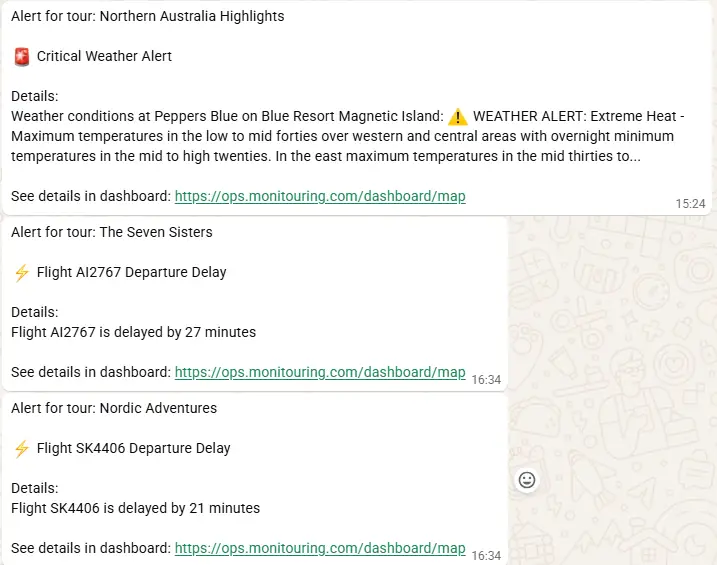
Active trip / Flight and weather context
Active departures
Several trips are moving at once.
Use the operations overview to see what is active, what begins next, and which notifications need an owner.
A team can move from the overview into the trip behind an alert, review the timeline and map alongside its details, then acknowledge or resolve the notification when the response is complete. The goal is not more alerts; it is enough context to make the next decision.
See the operations overview ↗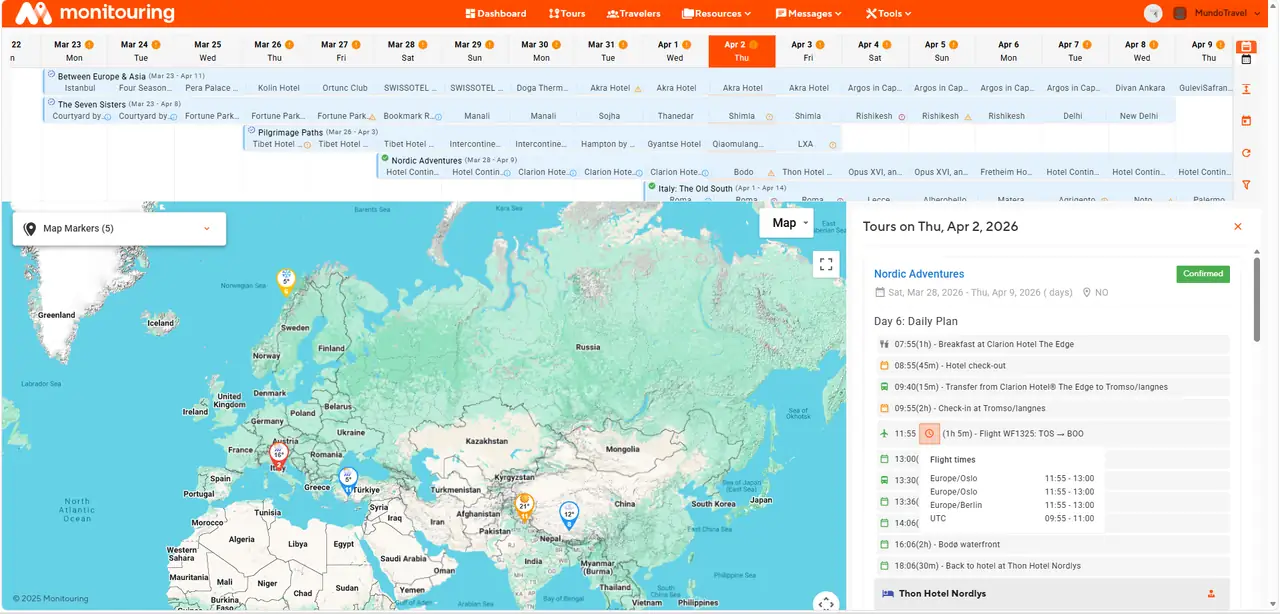
Operations overview / Active trips and current priorities
Departure preparation
A departure is close, but work is still outstanding.
Bring confirmations, traveler requirements, materials, and operational tasks together before the trip begins.
The preparation workspace makes it easier to see what is confirmed, what still needs a response, and who owns the next step. That gives the team a common place to work through readiness instead of rebuilding the same checklist across email and spreadsheets.
Explore departure readiness ↗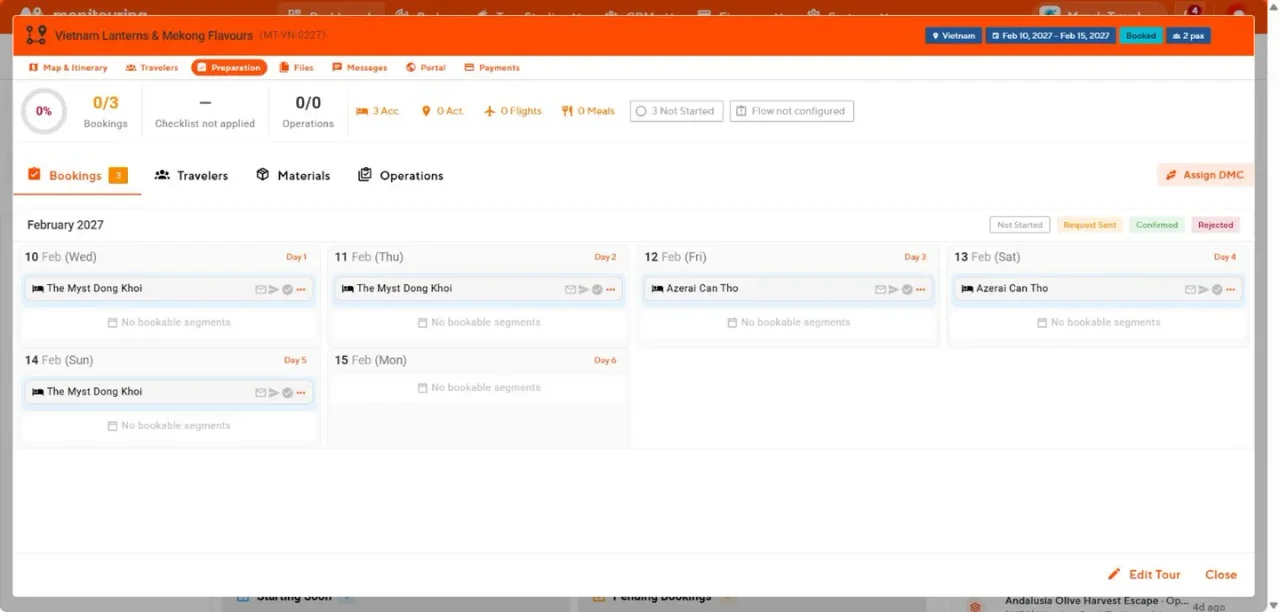
Departure readiness / Work that still needs attention
Shared context
Find the current trip record.
Keep the itinerary, travelers, service details, files, and team updates connected to the departure they belong to.
Explore the outcome ↗Clear ownership
Make the next action visible.
Use preparation tasks and notifications to see who is responding and what remains unresolved.
Explore the outcome ↗Relevant access
Share the right information.
Give travelers and assigned guides the trip information relevant to their role while keeping internal work with the team.
Explore the outcome ↗MONITOURING