
Browse the operator manual
Start here
Get started with Operations CenterTake a trip from Draft to departureUse Dashboard and RadarVideo guidesOrganization setup
Set up your organizationSet company identity and portal brandingSet editor, schedule, and writing defaultsConfigure traveler forms, legal content, and the public catalogConfigure payment providers and payment documentsConfigure automatic emailSet monitoring and notification thresholdsCreate and build
Create a tripImport a trip with AIComplete trip details and residencesBuild the itineraryAdd flights and transfersAssign field staff and partnersPublish and sell
Configure and publish the traveler portalDesign the traveler pageGive and remove portal accessConfigure pricing and collect paymentsReview and approve join requestsManage travelers and roomingWork with sales and FinancePrepare and operate
Prepare a trip for departureManage files and messagesMonitor live operationsSaved content and contacts
Reuse saved trip contentMaintain field staff, partners, and suppliersReference
Trip status referenceManage the tour listFix common problemsPrepare and operate
Prepare a trip for departure
Confirm supplier bookings, complete traveler requirements, share materials, finish tasks, and collect DMC confirmations.
Before you begin
- Itinerary and roster in place
You will learn to
- Track supplier bookings to Confirmed
- Complete traveler requirements and materials
- Finish operations tasks and DMC confirmations
Reviewed September 2026
Preparation has five tabs: Bookings, Travelers, Materials, Operations, and DMC. The totals at the top show what is still open.
Select Refresh flow whenever the roster, rooms, itinerary, payments, or materials change. Refresh recalculates the work from the current trip.
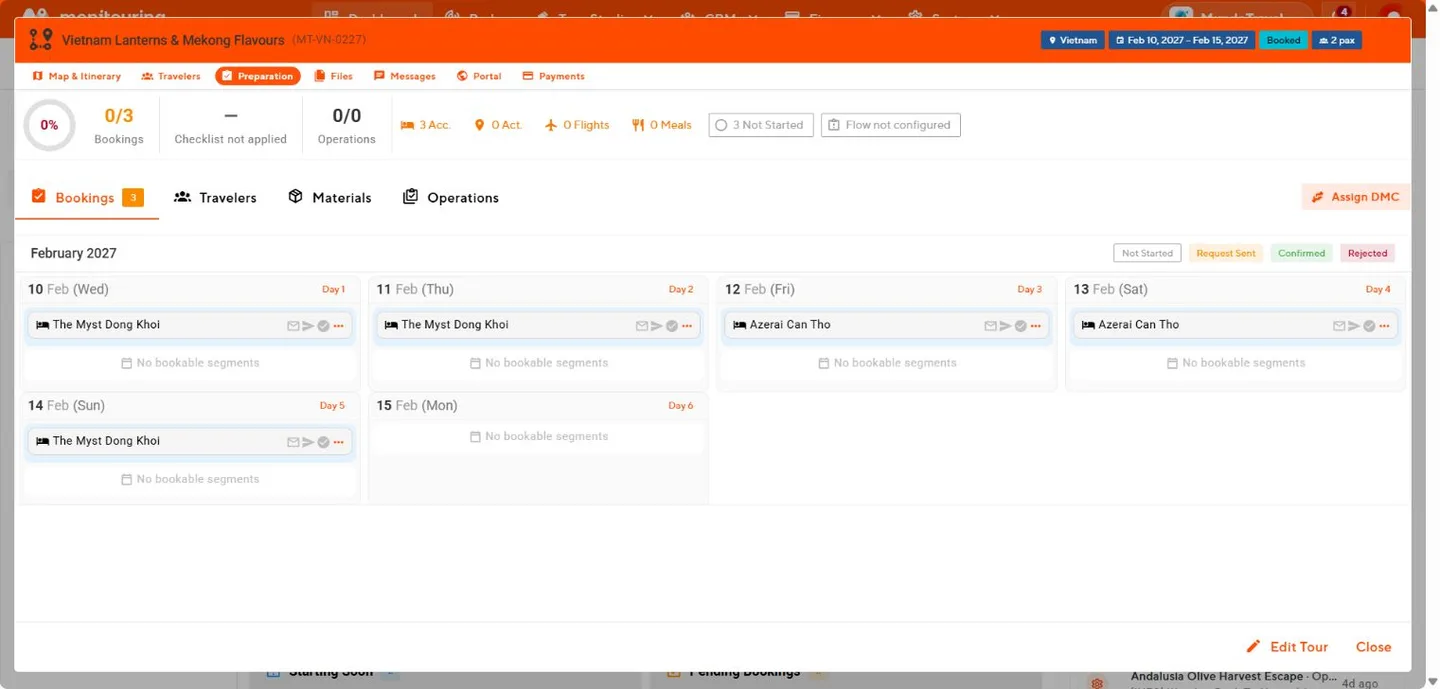
Bookings
The Bookings tab lists accommodation, activity, flight, and meal items by day. Each item is Not Started, Request Sent, Pending, Confirmed, Rejected, or Cancelled.
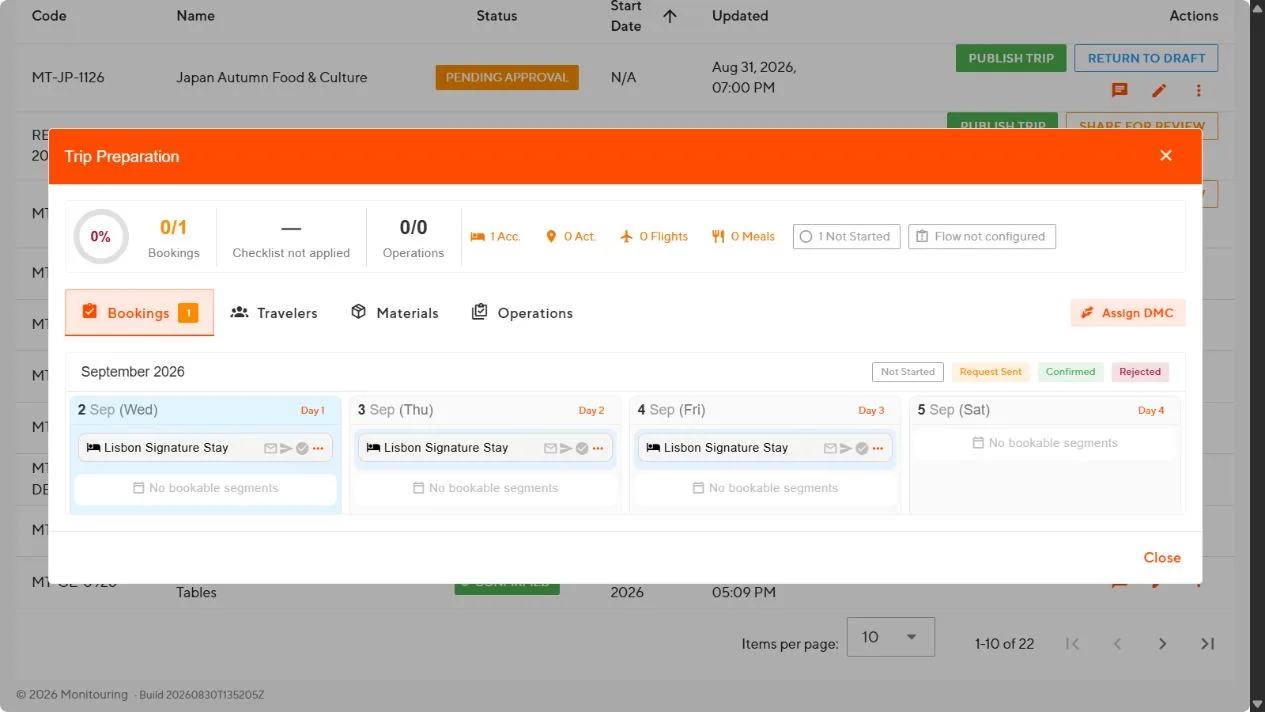
Send a supplier request
- Select the envelope on the item.
- Choose the sender, recipients, language, and template.
- Check the dates, rooms, traveler counts, notes, reply address, and attachments.
- Select Send email to send from Operations Center, or Open in email client to send from your own mail program.
Record the answer
- Select the confirmation action on the item.
- Enter the confirmation number, supplier contact, who confirmed, and the date.
- Save.
Only Confirmed counts as ready. Record a replacement when an item is rejected or cancelled.
Travelers
- Select Apply template to add your standard traveler checklist, or add items for this trip.
- Complete items by hand or let the automatic checks mark them, such as traveler details submitted or payment complete.
- Link supporting files where needed.
- Recheck after roster or payment changes.
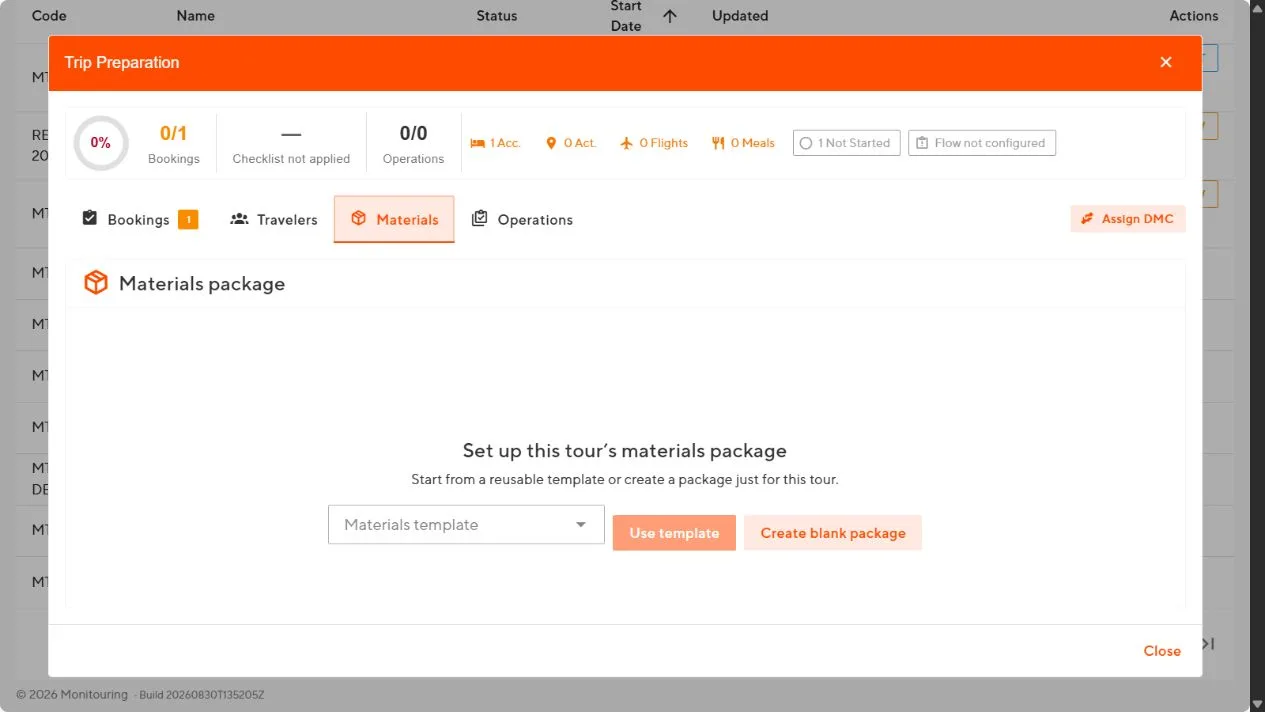
Materials
- Select a materials template or start a blank package.
- Add files and mark each one required or optional.
- Set the audience for each item: Travelers, Staff, Partners, or Everyone.
- Select Prepare, then share the package.
Use Everyone only for material meant for all participants. Never share passports, medical information, or contracts this way.
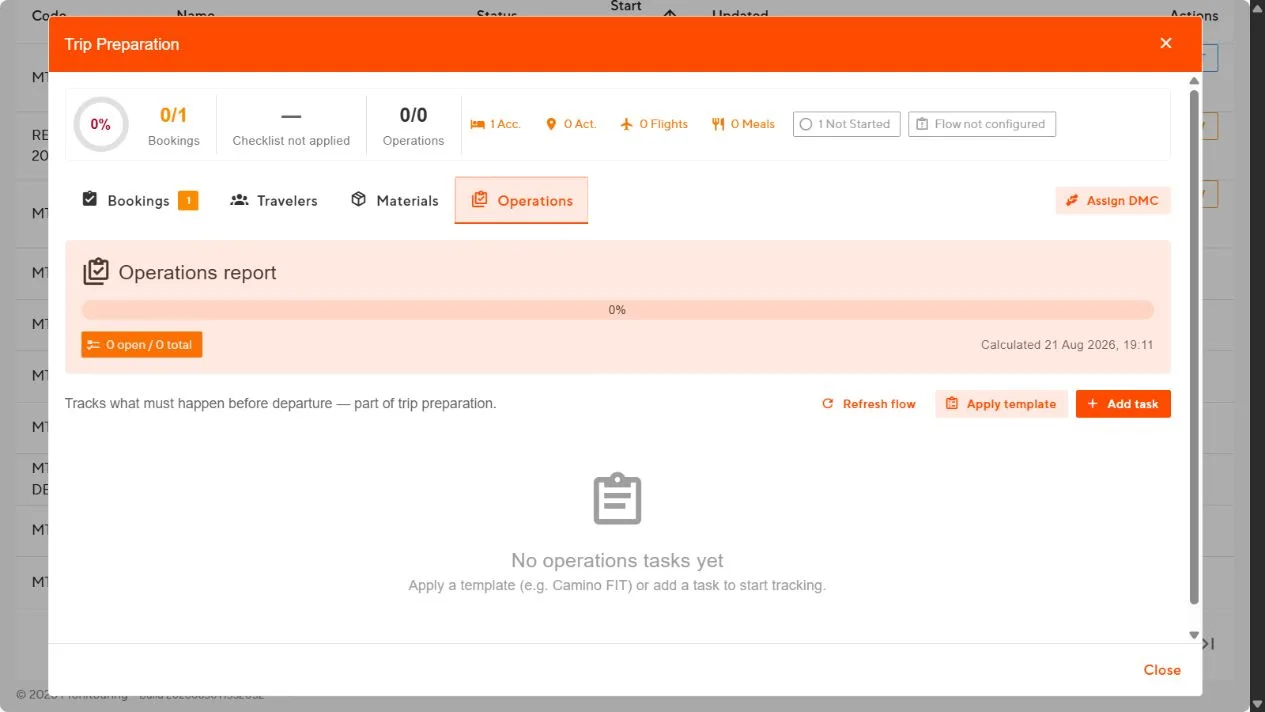
Operations
- Select Apply template or Add task.
- For each task, set the title, description, due date, and whether it blocks departure.
- Complete a task when it is done, or select Mark not applicable with a reason.
DMC
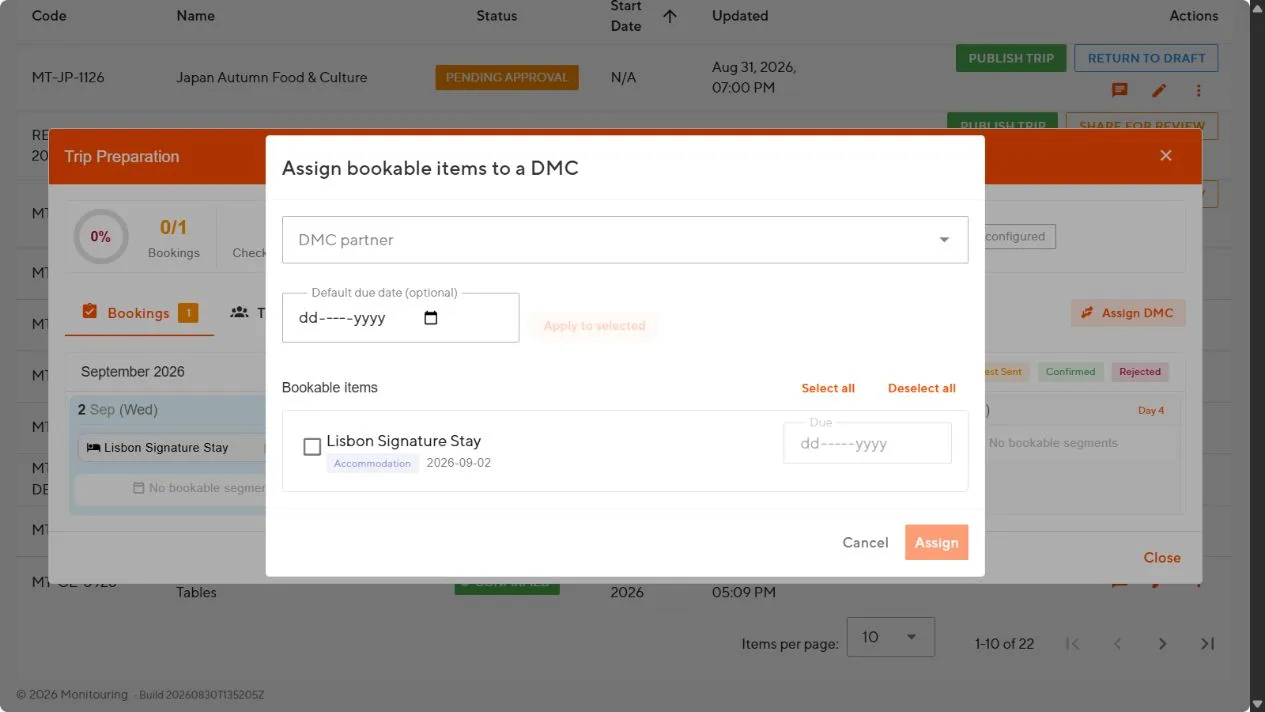
Use the DMC tab when a destination management company must confirm a set of services.
- Select the DMC partner and the residences and segments it must confirm.
- Set a due date and add instructions per item.
- Open Review access and copy the review link or send the invitation email.
- Track the response: Pending, Confirmed, Declined, or Amended.
- When services change, the item shows Needs reconfirmation. Send the updated review and get a new response.
Departure check
- Every booking is Confirmed.
- Every traveler has completed required details and payments.
- Rooms have no open spots or unplaced travelers.
- Materials are shared with the right audience.
- Departure-blocking tasks are complete.
- DMC confirmations are current.
- The flow was refreshed after the last change.
Every departure requirement is complete, and the Preparation totals show no open blockers.