
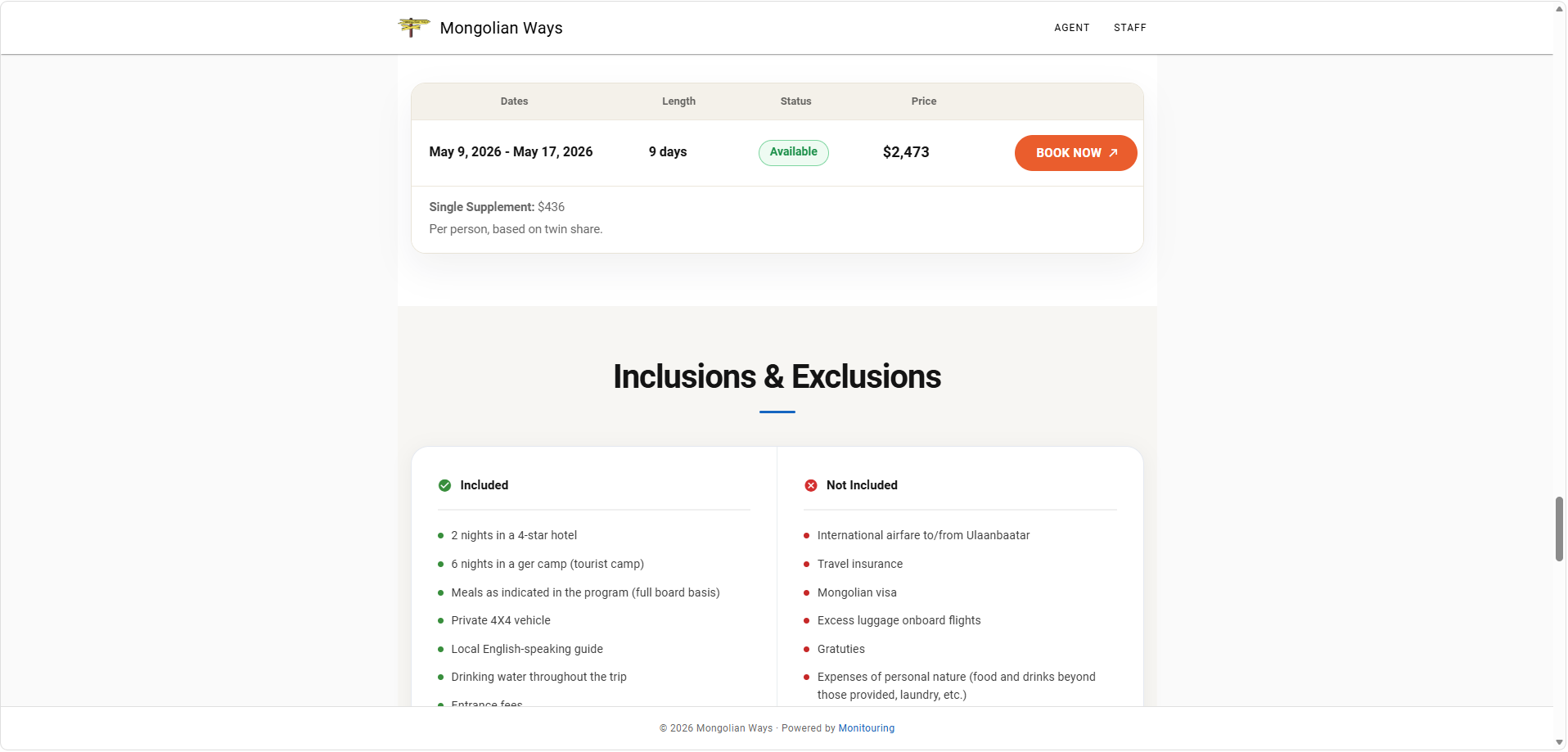
Choose an Embed Option
The fastest option is the JavaScript embed. It adds an isolated portal iframe to your page, resizes it after the content loads, and keeps Monitouring booking and inquiry flows working. Use the rendered API only when your website team needs server-rendered HTML for search engines.
| Option | Use It For | What You Get |
|---|---|---|
| JavaScript embed | Most websites, landing pages, partner pages, and website builders. | Copy-paste code that loads the interactive catalog or trip page and manages iframe resizing. |
| Direct iframe URL | Custom websites that already create and resize iframes themselves. | A portal URL with embed=1. Your website handles the iframe wrapper and height. |
| Rendered API | SEO pages, custom server-rendered sites, and WordPress route integrations. | Crawlable HTML and metadata, followed by the JavaScript embed for the interactive experience. |
| WordPress shortcodes | WordPress sites using the Monitouring Portal plugin. | Shortcodes for SEO pages or simple interactive embeds. |
In Ops Center, open a tour and select Embed in the tour Portal section to generate trip-page code. For a catalog, use Embed in Settings > Portal Catalog. The builder uses your current organization automatically and only shows settings that apply to the selected output.
Before You Embed
- Publish the catalog and any trip page you want visitors to see.
- Keep trips public when they should appear in public catalog embeds. Private trips stay available through direct portal links only.
- Use the trip slug shown in Monitouring. If a trip does not have a slug, the tour ID can be used.
- Place the embed in the main content column of your page, not inside a fixed-height scrolling panel.
- Republish after changing trip content, catalog settings, or portal page design.
JavaScript Embed
This is the recommended embed for most customers. Paste the snippet into the page where the catalog or trip should appear. The script creates the iframe, keeps the page isolated from your website CSS, and resizes the iframe after Monitouring finishes loading.
Catalog
<div id="monitouring-catalog" style="width:100%;max-width:1180px;margin:0 auto;"></div>
<script
  src="https://portal.monitouring.com/embed/monitouring-embed.js"
  data-monitouring-embed="catalog"
  data-target="#monitouring-catalog"
  data-portal-base-url="https://portal.monitouring.com"
  data-org-slug="demo-org"
  data-height="760"
  data-title="Trip catalog"
  async
></script>
Trip Page
<div id="monitouring-trip" style="width:100%;max-width:1120px;margin:0 auto;"></div>
<script
  src="https://portal.monitouring.com/embed/monitouring-embed.js"
  data-monitouring-embed="trip"
  data-target="#monitouring-trip"
  data-portal-base-url="https://portal.monitouring.com"
  data-org-slug="demo-org"
  data-trip-slug="desert-route"
  data-height="920"
  data-title="Trip details"
  async
></script>
Filtered Catalog
Filters narrow the initial catalog view. They are useful for landing pages such as "Jordan trips" or "Family trips". Filters apply only to catalog embeds. Trip embeds always show one trip. Tag filters match the tags saved on each trip in its Monitouring Portal settings; when you provide more than one tag, the trip must have every tag.
<div id="jordan-trips" style="width:100%;max-width:1180px;margin:0 auto;"></div>
<script
  src="https://portal.monitouring.com/embed/monitouring-embed.js"
  data-monitouring-embed="catalog"
  data-target="#jordan-trips"
  data-portal-base-url="https://portal.monitouring.com"
  data-org-slug="demo-org"
  data-country="Jordan"
  data-min-days="5"
  data-max-days="12"
  data-sort="date_asc"
  data-tags="desert,family"
  data-height="760"
  data-title="Jordan trips"
  async
></script>
Script Attributes
| Attribute | Applies To | Required | Purpose |
|---|---|---|---|
data-monitouring-embed | Catalog, trip | Yes | Use catalog for a trip list or trip for one trip page. |
data-org-slug | Catalog, trip | Yes | Your Monitouring organization slug or ID. The Ops Center builder fills this automatically. |
data-trip-slug | Trip | Trip only | The trip slug or tour ID to show. |
data-target | Catalog, trip | No | CSS selector for an existing container. If omitted, the script creates a container after the script tag. |
data-height or data-min-height | Catalog, trip | No | Starting iframe height before automatic resizing. Use 760 for catalogs and 920 for trip pages. |
data-title | Catalog, trip | No | Accessible iframe title. |
data-portal-base-url | Catalog, trip | No | Portal origin. The builder includes it so staging and production snippets are explicit. |
data-embed-id | Catalog, trip | No | Stable identifier for ready and resize messages when a page contains more than one embed. |
Catalog Filter Parameters
Use these filters as JavaScript data attributes, for example data-country="Jordan", or as query parameters on direct iframe URLs and rendered API requests. Trip page embeds ignore catalog filters.
| Parameter | Data Attribute | Format | Limit |
|---|---|---|---|
q | data-q | Search text. | 160 characters. |
country | data-country | Country name. | 80 characters. |
startDateFrom, startDateTo | data-start-date-from, data-start-date-to | YYYY-MM-DD. | Invalid dates are ignored. |
minDays, maxDays | data-min-days, data-max-days | Positive integer. | 1 to 366. |
sort | data-sort | date_asc, date_desc, name, or duration. | Unknown values are ignored. |
tags | data-tags | Comma-separated tags, for example desert,family. | Up to 8 tags. Use lowercase letters, numbers, underscores, or hyphens. All supplied tags must match. |
Direct Iframe URLs
Use direct iframe URLs only when your website already owns iframe creation, loading states, and height changes. The JavaScript snippet is safer for normal pages because it handles resizing for you.
https://portal.monitouring.com/catalog/demo-org?embed=1&embedId=catalog-mainhttps://portal.monitouring.com/catalog/demo-org/trips/desert-route?embed=1&embedId=trip-mainLayout Defaults
- Use
width:100%so the embed follows your page column. - Use
max-width:1180pxfor catalogs andmax-width:1120pxfor trip pages unless your page column is narrower. - Start catalogs at
760pxheight and trip pages at920px. The script resizes after the iframe reports its content height. - Keep the configured height between
420pxand1600px. - Let the page scroll normally. Avoid wrapping the iframe in another scrolling container.
Rendered API for SEO
The rendered API is for teams that can make server-side requests from their website. Your server requests HTML and metadata from Monitouring, prints the returned content into the page, and then loads the JavaScript embed so visitors get the full interactive portal.
Endpoint Examples
https://api.monitouring.com/v1/portal/render/demo-org/trips/catalog?canonicalBaseUrl=https%3A%2F%2Fexample.com&routePath=%2Ftrips&tripRoutePattern=%2Ftrips%2F%25trip_slug%25https://api.monitouring.com/v1/portal/render/demo-org/trips/desert-route?canonicalBaseUrl=https%3A%2F%2Fexample.com&routePath=%2Ftrips%2Fdesert-routeRendered API Parameters
| Parameter | Applies To | Required | Purpose |
|---|---|---|---|
canonicalBaseUrl | Catalog, trip | Yes | Your website origin, such as https://example.com. Localhost HTTP is allowed for local testing. |
routePath | Catalog, trip | No | The page path on your website, such as /trips or /trips/desert-route. |
tripRoutePattern | Catalog | No | Trip link pattern used inside rendered catalog cards, such as /trips/%trip_slug%. |
locale | Catalog, trip | No | Language hint, for example en or he. |
listId | Catalog | No | Stable ID for a deliberate filtered catalog page, such as jordan-trips. |
| Catalog filters | Catalog | No | The same q, country, date range, duration, sort, and tags parameters listed above. |
Response Fields
| Field | How To Use It |
|---|---|
head | Title, description, canonical URL, social metadata, robots value, and JSON-LD. Escape values before printing them. |
shellHtml | Crawlable page content for the catalog or trip. Print it in a container with data-monitouring-fallback. |
bootstrap | Advanced integration context for websites that need to inspect the rendered portal response. |
assets | Reserved for future runtime assets. |
WordPress
WordPress sites can use shortcodes when the Monitouring Portal plugin is installed. SEO shortcodes request rendered HTML first and then upgrade the page to the interactive portal.
[monitouring_trips]
[monitouring_trip slug="desert-route"]

[monitouring_trips country="Jordan" min_days="5" max_days="12" sort="date_asc"]
[monitouring_trips list_id="jordan-trips" country="Jordan"]
Use interactive-only shortcodes for simple embeds that do not need crawlable body HTML.
[monitouring_catalog_embed]
[monitouring_trip_embed slug="desert-route"]
Freshness and Troubleshooting
| Issue | What To Check |
|---|---|
| Catalog loads but a trip is missing. | Confirm the trip is published, public, catalog-visible, and using the correct slug or tour ID. |
| Rendered API returns an error. | Confirm canonicalBaseUrl is present and valid, and that routePath and tripRoutePattern start with /. |
| The iframe is too short. | Use the JavaScript snippet instead of a hand-built iframe, and avoid fixed-height containers around the embed. |
| Filters appear ignored. | Confirm this is a catalog embed. Trip embeds ignore filters. Also check parameter names, date format, tag format, and sort value. |
| Recently changed content looks stale. | Republish the trip or catalog settings in Monitouring. If your website caches pages, clear that cache as well. |